Giving a Presentation in an Online High School Class
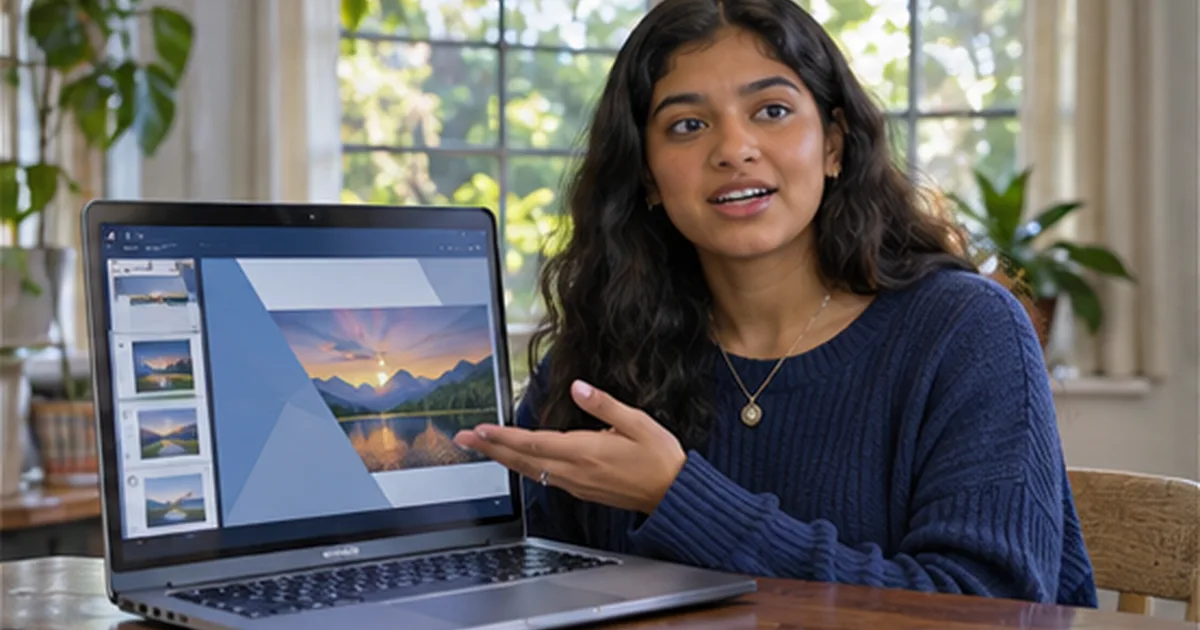
Delivering a presentation in an online high school class requires focus, clarity, and smart preparation—especially when limited to just three minutes. Unlike traditional in-person talks, online settings demand tighter structure and stronger visual or verbal cues to maintain engagement through a screen. The goal isn’t to fill time, but to communicate one clear idea with confidence. This guide walks through how to transform research into a concise, rehearsed presentation, using realistic examples and actionable steps tailored to virtual learning environments.
Start with a Single Clear Message
Many students make the mistake of trying to cover too much. In a three-minute window, attempting to summarize an entire historical era or scientific theory leads to rushed delivery and shallow content. Instead, identify one focused takeaway.
Take Maya, a 10th-grade student researching the Civil Rights Movement. Her initial draft tried to cover the Montgomery Bus Boycott, the March on Washington, and the Civil Rights Act of 1964. Her teacher noted it felt scattered. After revising, Maya centered her talk on a single idea: how youth participation, like the 1963 Birmingham Children’s Crusade, shifted public perception. This narrowed focus allowed her to include a specific example, a quote from a young protester, and a brief explanation of media impact—all within the time limit.
To find your core message, ask: What one fact, insight, or perspective do I want my classmates to remember? Answer in one sentence. That becomes your anchor.
Structure the Three Minutes
Three minutes equals about 360–450 spoken words, depending on pace. A reliable breakdown helps prevent rushing or trailing off:
- 0:00–0:30 — Introduction: Name, topic, and main point
- 0:30–2:30 — Body: One or two supporting examples with brief context
- 2:30–3:00 — Conclusion: Restate main idea and offer a thought-provoking question or implication
This timing isn’t rigid, but it’s a practical framework. Practicing with a stopwatch reveals where adjustments are needed. For instance, if the introduction takes 45 seconds, the body must be shortened. Timing each section separately builds awareness.
Example: Jordan’s Presentation on Renewable Energy
Jordan, in a 9th-grade environmental science course, was assigned to present on renewable energy sources. His initial script ran nearly five minutes. After trimming, he refocused on why solar power adoption in rural communities has grown faster than expected.
His final structure:
- 0:00–0:28: “Hi, I’m Jordan. Today I’ll explain how falling solar panel costs and community grants helped small towns in New Mexico switch to solar faster than experts predicted.”
- 0:28–2:25: He cited a 2022 state energy report showing a 60% drop in installation costs over five years, and described one town’s grant-funded project that cut electricity bills by 40%. He avoided technical jargon, saying “panels” instead of “photovoltaic arrays.”
- 2:25–3:00: “So while big cities get attention, rural areas are quietly leading in solar use. Could this model work in other states with high sunlight?”
Jordan rehearsed this seven times, using a phone timer. He adjusted wording to fit the clock, replacing longer phrases (“due to the fact that”) with concise ones (“because”).
Use Visuals Strategically
In online classes, students often share slides or images. But cluttered visuals distract. A single clear image or graph, displayed for 20–30 seconds, supports the message without competing with it.
Maya used a black-and-white photo of children marching in Birmingham, shown during her second point. She didn’t describe every detail—just said, “This image shows hundreds of students under age 18 walking toward city hall, many arrested that day.” The silence lasted three seconds, then she continued. That pause gave weight to the moment.
Jordan used a simple bar chart showing solar adoption rates in New Mexico towns from 2018 to 2023. He didn’t read the numbers aloud—just said, “You can see a sharp rise after 2020, matching when state grants began.”
If no visuals are allowed, use vocal emphasis instead. Slight pauses, changes in tone, or repeating a key word (“That 40% savings changed everything”) can mimic the impact of an image.
Rehearsal: The Key to Confidence
Rehearsing isn’t just about memorizing words—it’s about building timing, flow, and comfort. Students often skip full run-throughs, then falter during the actual presentation.
Here’s a practical rehearsal plan:
- First run: Read aloud with no timer. Identify awkward phrases.
- Second run: Use a stopwatch. Note where you go over or under.
- Third to fifth runs: Focus on smooth transitions. Practice with the same microphone and camera setup used in class.
- Sixth run: Do it in one take, exactly as scheduled—camera on, no pauses.
- Final run: Present to a family member or record yourself. Watch for eye contact (with the camera), posture, and clarity.
Jordan found his first rehearsal ran 4 minutes 10 seconds. He cut two sentences about federal tax credits (off-topic) and rephrased a complex sentence about energy storage. By the fifth run, he was consistently at 2:55—leaving room for a natural pause.
Anticipate Technical Realities
Online platforms vary. Some require uploading slides in advance; others allow live sharing. Some students present via recorded video, others live. Know your format early.
If presenting live:
- Test your mic and camera 15 minutes early.
- Close unnecessary browser tabs to avoid lag.
- Position the script or notes where you can glance without looking down too long.
If submitting a recording:
- Choose a quiet space with minimal echo.
- Dress as you would for class—avoid bright patterns that pixelate.
- Record in segments if needed, but edit smoothly so the final version feels continuous.
Technical issues happen. If your audio cuts out during a live talk, pause, say “I’ll restart this point,” and continue. Most teachers appreciate composure over perfection.
Peer Feedback That Helps
Some online classes include peer reviews. When giving feedback, focus on clarity and structure—not personal style. Instead of “I liked your energy,” say “Your main point was clear by 30 seconds, and the example about New Mexico helped me understand.”
When receiving feedback, look for patterns. If two peers say, “I didn’t get why the cost drop matters,” revise to strengthen the connection. But don’t overhaul your talk for one comment unless it reveals a real gap.
Common Pitfalls and Fixes
Even prepared students stumble. Here are frequent issues and how to address them:
Reading Word-for-Word
This leads to monotone delivery and less eye contact. Fix: Write bullet points or short phrases, not full sentences. Use the notes as cues, not a script.
Overloading with Data
Too many numbers overwhelm. Fix: Pick one compelling statistic and explain its significance. Instead of listing five adoption rates, say, “One town saw a 70% drop in energy costs—enough to fund a new community center.”
Ignoring the Audience
Staring at notes or camera without variation feels robotic. Fix: Practice looking up every 10–15 seconds. Imagine speaking to one person. A slight nod or smile at key moments builds connection.
Learning Beyond the Grade
A three-minute talk may seem minor, but it builds skills used in college interviews, job pitches, and community meetings. The discipline of distilling research into a clear message is transferable. Teachers in online high school classes often design these tasks not just to assess knowledge, but to develop communication precision.
For students like Maya and Jordan, the process revealed what mattered most in their topics. Maya realized youth activism was more pivotal than she first thought; Jordan saw how local policy can drive national trends. The presentation wasn’t the end—it was a checkpoint in deeper learning.
For families supporting students in online learning, Roovet Academy provides homeschool resources and a course catalog that includes options emphasizing research and presentation skills, helping learners turn inquiry into insight. The focus remains on student growth. By practicing with purpose, students gain more than a grade—they build the ability to speak clearly, think critically, and adapt in any learning environment.
Explore Roovet Academy’s college writing course.